August 14, 2026
Save 5 Hours a Week: AI for Small Businesses
Streamline your operations and save time with AI. Learn 3 simple, weekend setup strategies to automate local business tasks and reclaim 5 hours next week.
The Weekend AI Playbook: 3 Simple Ways Local Businesses Can Save 5+ Hours Next Week
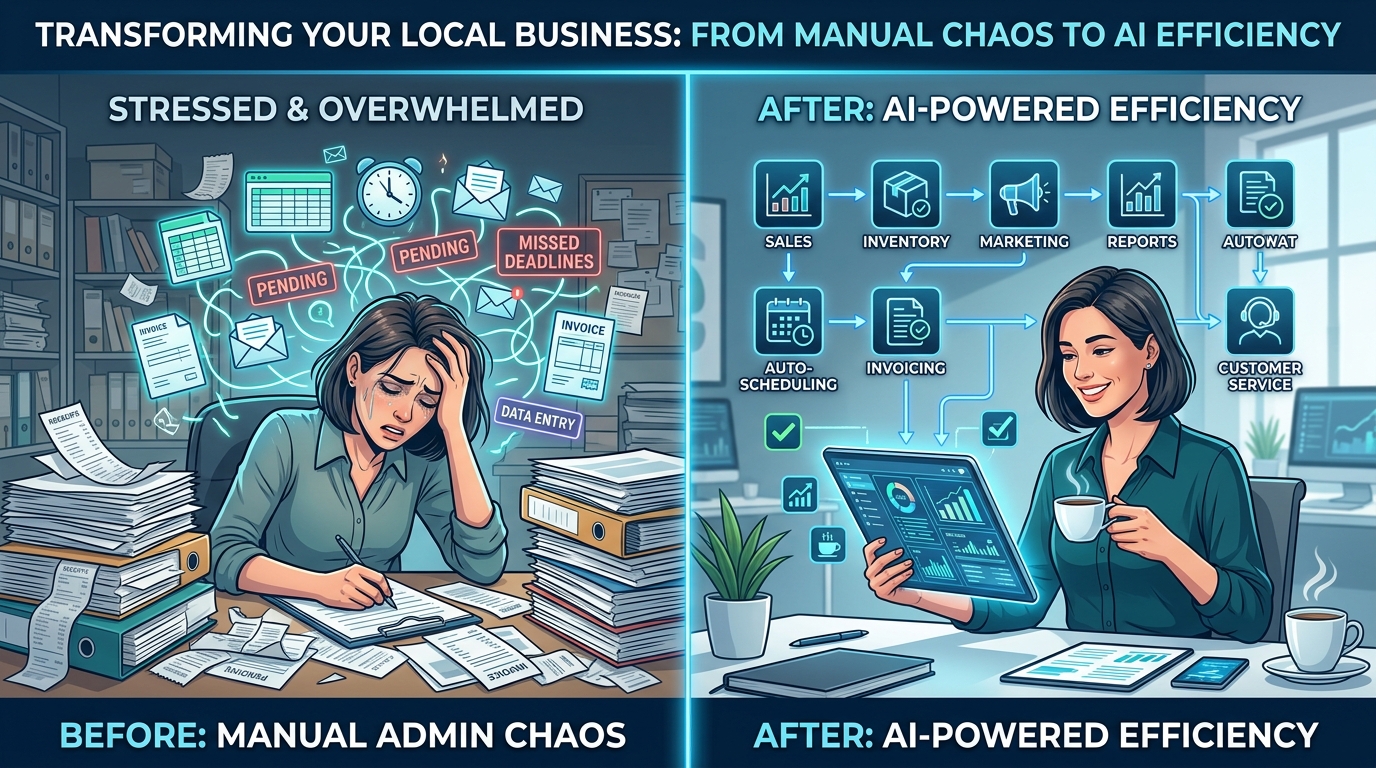
Friday afternoon is a familiar tipping point for local business owners. As the storefront quietens or the service calls wind down, a second shift begins: the mountain of administrative tasks, customer emails, social media drafts, and marketing chores that piled up during the week.
Many operators believe that adopting artificial intelligence requires a massive budget, months of onboarding, or a degree in computer science. In reality, the most impactful small business AI integration happens in small, practical increments. You do not need to overhaul your entire enterprise operations model to feel the benefits of automation.
By dedicating just one hour this weekend to setting up three simple, high-impact AI systems, you can reclaim five or more hours of administrative time next week. Here is exactly how to do it.
Demystifying AI for Local Business: From Hype to Practical Systems
For a local service provider, retail boutique, or neighborhood restaurant, the sheer volume of daily customer interactions is both a primary driver of growth and a major operational bottleneck. When we discuss AI for local business, we are not talking about complex predictive modeling or building proprietary algorithms. We are talking about using accessible, consumer-ready Large Language Models (LLMs) like ChatGPT, Claude, or Gemini as highly capable virtual assistants.
The secret to successful local business automation lies in reframing how you view these tools. AI is not here to replace the authentic human touch that defines your brand. Instead, it is designed to eliminate the repetitive, predictable administrative tasks that keep you away from face-to-face customer interaction.
To make these tools work for you, you must understand how to prime them. Think of an LLM as an incredibly eager, highly intelligent intern who has absolutely no context about your business. If you give them vague instructions, you will get generic, uninspired results. If you give them clear boundaries, structured context, and defined roles, they will deliver precise, high-value outcomes.
Strategy 1: Create an Automated Customer FAQ Responder
Every local business owner answers the same ten questions dozens of times a week. These inquiries cover holiday hours, parking availability, booking deposits, service areas, and warranty policies. Typing these responses out manually, or even hunting for copy-and-paste templates, eats away at your daily productivity.
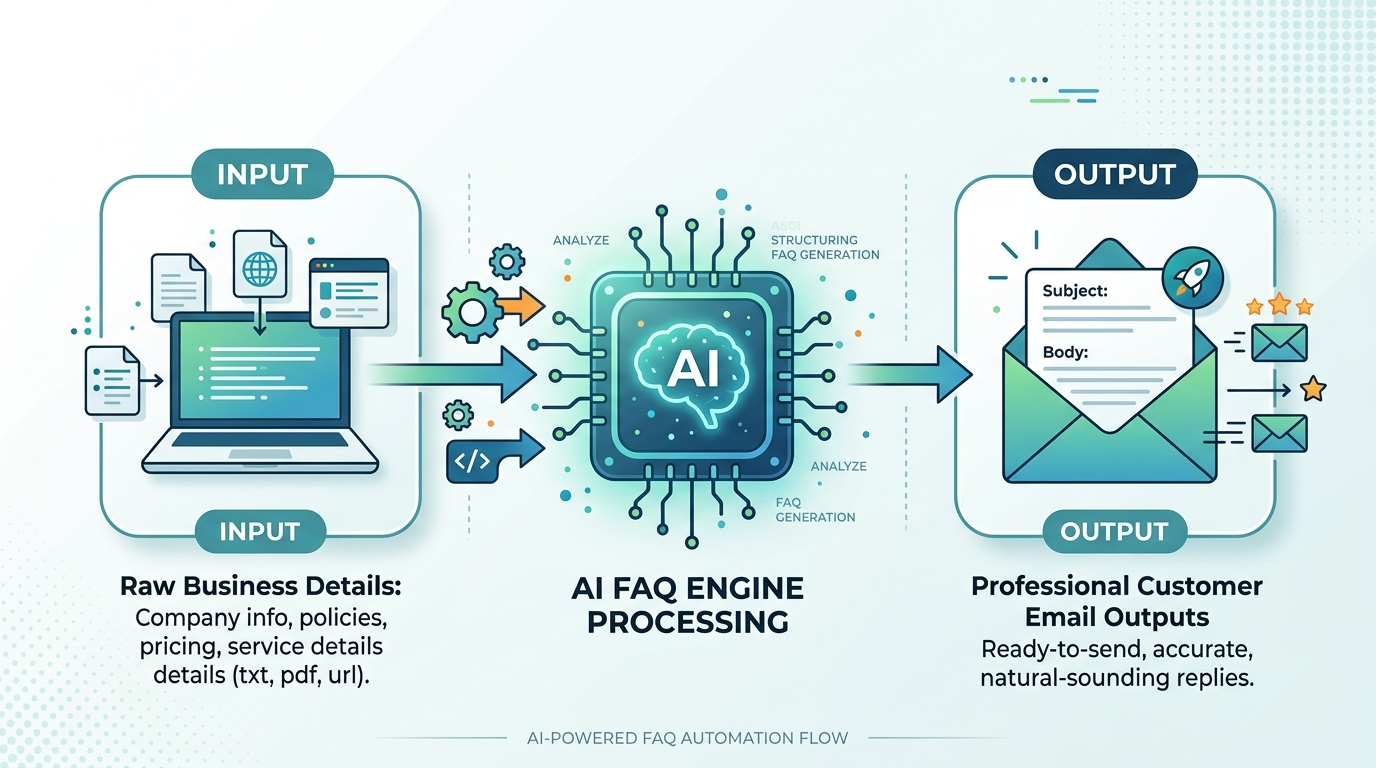
This weekend, you can build a customized FAQ reference guide that allows you to generate professional, tailored customer replies in seconds.
Step 1: Gather Your Ground-Truth Data
Open a blank document and write down your business basics. Include your exact hours, parking instructions, pricing tiers, refund policies, and any frequent pain points your customers bring up. Do not worry about formatting; just get the facts down on paper.
Step 2: Set the AI System Persona
To prevent the AI from fabricating details (a phenomenon known as hallucination), you must condition the model's attention using strict operational boundaries. Copy and paste the following prompt into your chosen AI tool to initialize the assistant:
You are the lead operations assistant for [Insert Your Business Name], a local [Insert Business Type, e.g., HVAC company / boutique bakery] located in [Insert City/Neighborhood].

Here is the absolute source of truth about our business operations:
[Paste your raw business details gathered in Step 1 here]

Your task is to help me draft customer email and message replies based ONLY on the facts provided above. If a customer asks a question that cannot be answered using the facts above, state clearly: "I cannot answer this with the current information, please consult the owner."

Keep the tone professional, friendly, and localized to our community. Never invent policies, prices, or hours.
Step 3: Run the System
Now, whenever a complex or repetitive customer email arrives next week, simply paste the customer's message into this chat window and type: "Draft a friendly response to this."
The AI will cross-reference your ground-truth data and output a perfect, customized response instantly, saving you from repetitive typing and mental fatigue.
Strategy 2: Plan an Entire Week of Local Social Content in 20 Minutes
Maintaining an active online presence is vital for local business growth, but staring at a blank screen trying to write creative captions is a notorious time-sink. You can use AI to build a hyper-local content calendar for the upcoming week by feeding it your target audience demographics and local community context.
To get the most out of your small business AI integration, avoid asking the AI for generic posts like "write five posts about real estate." Instead, instruct it to weave in local landmarks, community events, and specific customer pain points.
Copy and paste this structured prompt to generate a highly relevant, localized social media plan:
Act as an expert social media strategist specializing in local brick-and-mortar business marketing. Our target audience consists of [Describe your ideal customer, e.g., busy working parents in the suburban metro area].

We want to plan 3 engaging social media posts for next week that highlight our unique value proposition, build community trust, and drive foot traffic/inquiries.

For each of the 3 posts, provide:
1. The Core Angle (Educational, Behind-the-Scenes, or Promotional)
2. A compelling, high-converting caption (optimized with local references to [Insert your neighborhood/city name])
3. Suggestions for a simple, low-friction photo or video to accompany the post
4. Relevant, localized hashtags

Make sure the tone is warm, community-oriented, and highly human. Avoid generic corporate language.
Once the AI generates the draft, spend five minutes polishing the text to match your natural voice, schedule the posts using your preferred platform, and check "social media marketing" off your to-do list before Sunday evening.
Strategy 3: Turn One Customer Review into Five Multi-Channel Marketing Assets
Online reviews are the lifeblood of modern local search engine optimization (SEO) and customer trust. However, most business owners simply reply "Thank you" and let the review sit dormant on Google or Yelp.
This weekend, you can build a content multiplier system that takes a single positive customer review and instantly translates it into five distinct marketing assets to save time with AI.
By feeding a stellar review into an AI model, you can ask it to extract and adapt that customer sentiment into multiple formats:
- Asset 1: An Instagram or Facebook Caption - A narrative post explaining the customer's problem and how your business solved it.
- Asset 2: A Text-Based Story Slide - A brief, punchy quote designed to fit perfectly on a vertical Instagram or Facebook Story.
- Asset 3: A Google Business Profile Update - A structured, keyword-rich update highlighting customer satisfaction to boost your local SEO presence.
- Asset 4: A Short-Form Video Script - A 15-second script for a Reel or TikTok showing a visual of your team at work while a voiceover reads the customer's key praise.
- Asset 5: An Email Newsletter Snippet - A short promotional highlight to include in your next email broadcast to show social proof to your subscriber list.
Key Insight on Content Multiplication: Do not let your best customer feedback live in a single corner of the internet. By repurposing high-quality reviews across multiple digital touchpoints, you maximize your marketing reach without needing to constantly produce new material from scratch.
This system takes a single piece of organic validation and scales your brand authority across the web, turning a simple customer compliment into a multi-channel acquisition campaign in less than five minutes.
Overcoming the Adoption Friction: Why This Weekend Matters
The greatest barrier to local business automation is not the complexity of the software: it is the friction of getting started. When the workweek is in full swing, you do not have the cognitive bandwidth to experiment with new processes. You are focused on serving the client in front of you, fixing operational issues, and managing your team.
This is why the weekend is your most valuable strategic asset.
By stepping away from the daily noise for just one hour, you can build these simple, repeatable structures. Once these chats are primed and ready on your computer or mobile device, executing them during the busy week takes no more effort than sending a text message.
YOUR WEEKEND AI CHECKLIST
- 1[ ] Step 1: Draft your business FAQ master list.
- 2[ ] Step 2: Initialize your FAQ engine prompt.
- 3[ ] Step 3: Run the hyper-local social media calendar prompt.
- 4[ ] Step 4: Paste your latest 5-star review to multiply assets.
- 5[ ] Step 5: Save these prompt templates for easy weekday access.
AI is not a replacement for your passion, your craft, or your connection to your neighborhood. It is simply a tool to strip away the repetitive digital admin that keeps you chained to your desk. Take sixty minutes this weekend to build your digital systems, and enter Monday morning with the support structure you deserve.
Want to accelerate your business growth and build custom AI workflows tailored to your specific operations?
Let us help you eliminate the busywork. Direct message us the word "AI" on our social channels or contact our digital team today, and we will show you exactly where to start your automation journey.
Enjoyed this article? Join the Growency newsletter
Practical AI tips for service businesses, straight to your inbox. No spam, unsubscribe anytime.