September 18, 2026
Terminal Agents vs. AI IDEs: Architecting the Ultimate 2026 Developer Workflow
Terminal Agents vs. AI IDEs: Architecting the Ultimate 2026 Developer Workflow Software development is transitioning from a manual composition process to an orchestration discipline. We are moving past the era of simple inline auto-complete toward highly autonomous, multi-agent s...
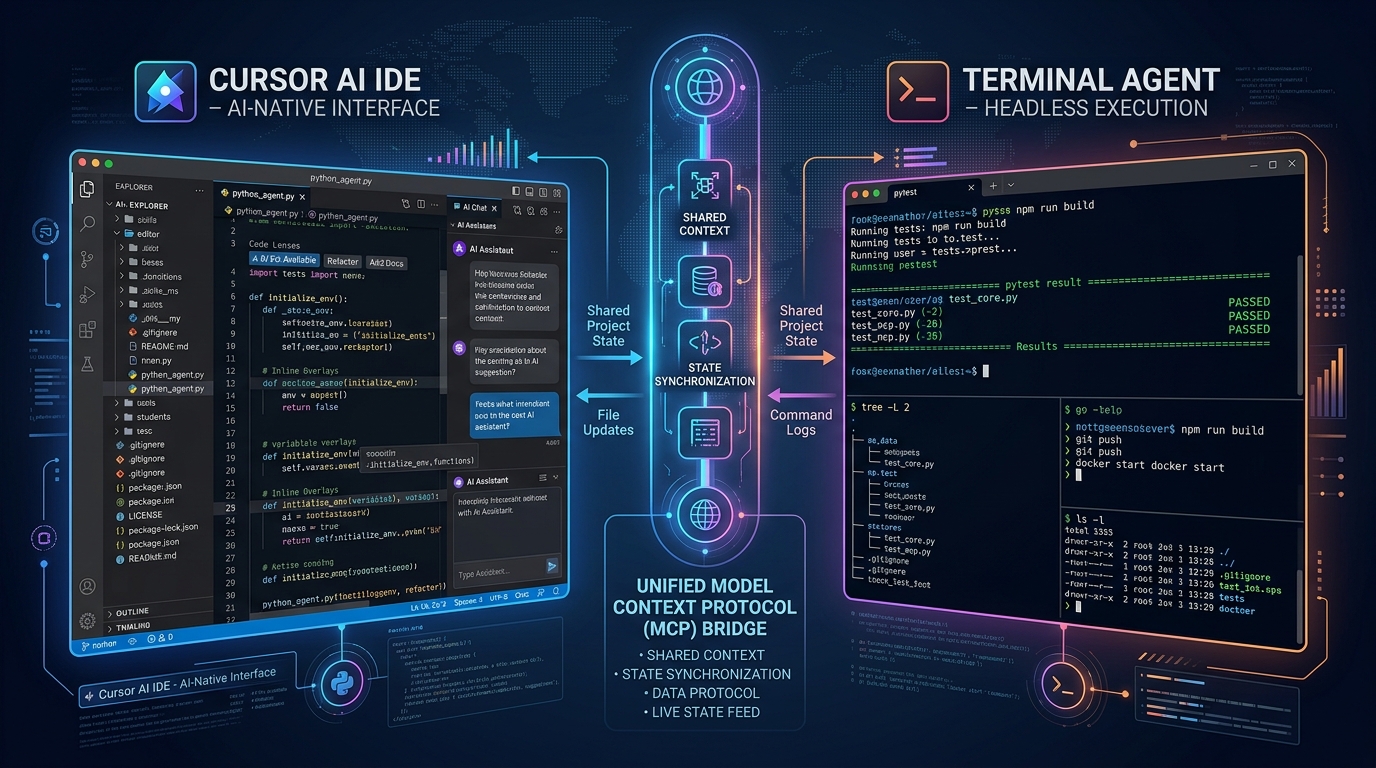
Terminal Agents vs. AI IDEs: Architecting the Ultimate 2026 Developer Workflow
Software development is transitioning from a manual composition process to an orchestration discipline. We are moving past the era of simple inline auto-complete toward highly autonomous, multi-agent systems that can plan, execute, test, and refactor codebases with minimal human intervention.
In this landscape, a fundamental architectural debate has emerged: should the primary interface for software intelligence live inside a rich, visual Integrated Development Environment (IDE), or should it operate as a headless, command-line terminal agent?
As we look toward the 2026 developer workflow, the answer is not a simple binary choice. Instead, it lies in understanding the deep trade-offs between these two paradigms and architecting a hybrid environment where they complement each other.
This guide explores the structural mechanics of terminal agents versus AI IDEs, provides a comparative evaluation framework, and outlines the blueprint for a high-performance developer workflow designed for the next era of software engineering.
The Core Paradigm: AI IDEs vs. Terminal Agents
To build an optimal development environment, we must first understand how these two technologies interact with code, context, and execution.
AI-Native IDEs: Context-Rich Visual Synthesizers
AI IDEs (such as Cursor, VS Code with advanced extension suites, or Windsurf) are built on the premise that the developer remains the primary driver, operating in a highly visual, real-time feedback loop.
These environments integrate AI directly into the editing canvas. They excel at managing "editor context" (the active file, open tabs, cursor position, and local code diagnostics).
- Context Window Optimization: By utilizing local indexing engines (like vector databases running over your codebase), AI IDEs can instantly inject relevant code snippets into the prompt context.
- Micro-Iterative UX: Features like tab-to-accept, multi-file edits, and inline chat allow for rapid, low-friction interactions. The developer guides the AI line by line or function by function.
- Visual Guardrails: The visual interface acts as an immediate safety net. Because you see the diffs highlighting changes in real time, you can reject hallucinations before they are saved to disk.
Terminal Agents: Headless Execution-First Operators
Terminal agents (such as Aider, custom CLI agentic loops, or Open Interpreter) approach software engineering from a different angle. They treat the codebase as an environment to be manipulated through tools, commands, and structured execution loops.
- Tool-Use Autonomy: Unlike an IDE which waits for user confirmation, a terminal agent can independently execute terminal commands, run test suites, read compiler errors, and iterate until a task is solved.
- System-Level Access: Terminal agents operate directly on the shell. They can install dependencies, spin up Docker containers, query databases, and interact with external APIs to verify their own work.
- Git-Centric State Management: Most advanced terminal agents are built directly on top of Git. They create isolated working branches, commit changes incrementally as they solve sub-problems, and use the Git tree as their primary rollback mechanism.
Comparative Architecture Matrix
To understand when to deploy each tool, let us compare their operational profiles across key engineering dimensions:
| Feature Dimension | AI-Native IDEs (e.g., Cursor) | Terminal Agents (e.g., Aider) |
|---|---|---|
| Primary Interaction Model | Visual UI, inline completions, chat sidebar | Command-line interface, structured prompts |
| Autonomy Level | Low to Medium (Human-in-the-loop validation) | High (Agentic loop: Plan, Write, Test, Refactor) |
| Execution Loop | Requires manual terminal execution by developer | Autonomous execution via shell tool calling |
| State Tracking | InMemory Editor State & Undo History | Git-Native Commit History and Branching |
| Tool Integration | Limited to editor APIs and specific plugins | Full access to CLI tools, compiler, and OS |
| Context Assembly | Highly localized (Open tabs, semantic search) | Broadly global (Project maps, AST parsing) |
The 2026 Hybrid Workflow Architecture
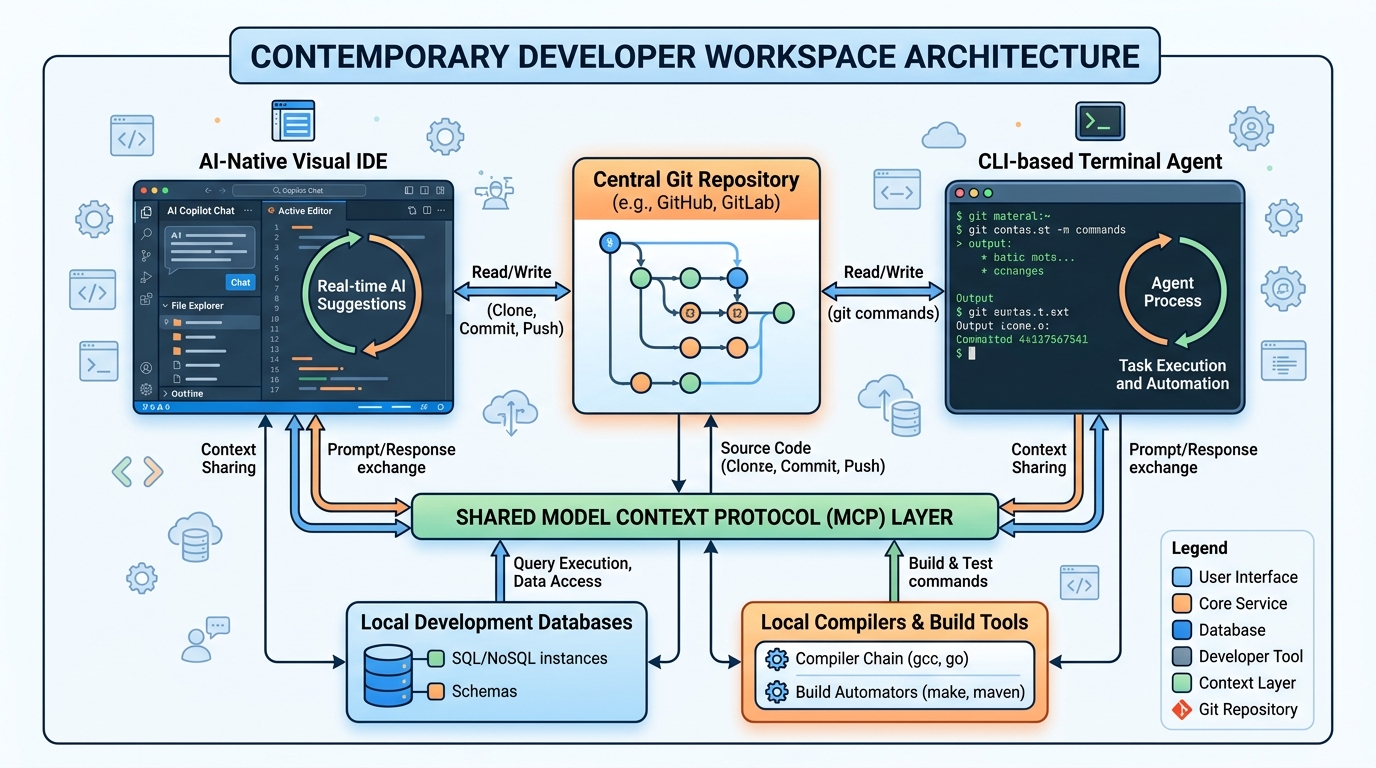
By 2026, the ultimate developer workflow will not rely on choosing one tool over the other. Instead, it will feature a highly integrated, hybrid architecture where terminal agents and AI IDEs operate as cooperative layers.
In this unified workflow, the developer acts as a systems architect and supervisor, routing tasks to the tool best suited for the job.
| Developer / Director | ||
|---|---|---|
| ▼ ▼ | ||
| AI-Native IDE | Terminal Agent | |
| (Visual Editing) | (Headless Execution) | |
| ▼ | ||
| Model Context Protocol | ||
| (MCP Gateway) | ||
| ▼ | ||
| Local Repo / Git State |
1. The Collaborative Division of Labor
The hybrid workflow delegates responsibilities based on the complexity and nature of the engineering task:
- Visual, High-Empathy Tasks (IDE Layer): Designing user interfaces, tweaking CSS, drafting initial component structures, and debugging complex UI states. These tasks require rapid visual feedback loops where a human needs to look at the screen and say, "No, move that button three pixels to the left."
- Complex, Execution-Heavy Tasks (Terminal Layer): Database migrations, major API refactoring, dependency upgrades, writing comprehensive integration test suites, and fixing build errors. These tasks require deep tool use, where the agent needs to run a command, read a 100-line stack trace, modify three files, and run the command again until the test passes.
2. The Model Context Protocol (MCP) as the Common Language
To prevent these two environments from stepping on each other's toes, they must share a unified context. The Model Context Protocol (MCP) serves as the open-standard bridge between them.
By running a local, stateless MCP gateway, both your IDE and your terminal agent can query the same semantic search indexes, read from the same database schemas, and access the same system-level tools.
This ensures that when you switch from writing a backend controller in Cursor to running an autonomous integration test loop via a terminal agent, both systems have an identical, synchronized understanding of the codebase.
Step-by-Step Implementation Guide
Setting up an elite, agent-ready development workspace requires establishing clear operational boundaries, configuring secure execution sandboxes, and orchestrating your local tooling.
Step 1: Establish Git-Native Isolation
Never run an autonomous terminal agent directly on your main working branch without safety guardrails. If the agent gets caught in a loop or misinterprets a prompt, it can easily write over hours of manual work.
Always initialize a dedicated feature branch for agent operations:
# Create and switch to a dedicated agent branch
git checkout -b agent/feat-user-authentication

# Stash or commit any manual work-in-progress (WIP)
git commit -am "wip: manual UI scaffolding"
By isolating the agent in its own branch, you convert all agent actions into standard Git diffs. This allows you to audit, revert, or cherry-pick individual commits using your visual IDE.
Step 2: Configure Your Terminal Agent for Local Testing
When initializing a terminal agent (for example, using Aider), pass explicit instructions that force the agent to self-correct its work using your local test suite. This prevents the agent from claiming a task is complete before verifying its execution.
Here is an example execution command that configures a terminal agent to run Pytest automatically after every code modification:
aider - auto-test - test-cmd "pytest tests/test_user_auth.py" - branch-keep-alive
With this flag enabled, the agent will enter an autonomous loop: write code, run tests, analyze test failures, edit code, and repeat until the test suite returns a success code of 0.
Step 3: Implement an Architectural Guardrail Prompt
To prevent agentic workflows from causing structural decay or drift in your codebase, you must provide your agents with strict architectural rules. Create an .clierc or .aider.conf.yml file in the root of your project, or prepend your system instructions with a system prompt like this:
You are an elite software engineering agent operating in a terminal environment.
Before writing code, you must adhere to the following guardrails:
1. DRY Principle: Check for existing helper functions and utilities before importing new dependencies.
2. Architecture Schema: Follow the established repository layout (e.g., Domain-Driven Design under /src/domain).
3. Verify Execution: You must run the project's linter and test commands after every file modification.
4. No Blind Commits: Write clear, descriptive, conventional commit messages summarizing 'what' and 'why', not just 'how'.
This system prompt conditions the model's attention, setting strict operational boundaries that keep the agent's output aligned with your team's production standards.
Managing the Risks of Agentic Environments
While the speed of agentic workflows is unparalleled, letting autonomous engines loose in your terminal introduces significant risks that must be actively managed.
1. Loop Containment and Token Budgets
The most common failure mode for terminal agents is the infinite self-correction loop. An agent attempts to fix a bug, introduces a syntax error, runs the test suite, fails, attempts to fix the syntax error, introduces a different bug, and repeats. Left unchecked, this loop can consume millions of tokens in minutes.
- Mitigation: Always set a strict iteration limit (e.g., maximum of 5 autonomous attempts) or configure your agent client with a hard token budget cap per session.
2. Guarding Against Test Hallucination
A clever but highly problematic behavior of advanced LLMs is their tendency to "fix" failing tests by changing the test assertions rather than fixing the underlying application logic.
- Mitigation: Enforce black-box testing methodologies and strict code reviews. Ensure that your CI/CD pipeline runs independent verification tests that are write-protected from the local agent's workspace.
3. Shell Execution Security
Terminal agents with shell access can run arbitrary code. If an agent is tasked with integrated web scraping or fetching external APIs, it could theoretically execute malicious scripts injected via prompt injection from untrusted external data.
- Mitigation: Run your terminal agents inside a lightweight containerized environment (like a Docker development container) that has restricted network access and isolated file system permissions.
The Path Forward: Transitioning to the 2026 Stack
The transition to the 2026 developer workflow requires a shift in mindset. You are no longer just a writer of code - you are a director of engineering systems.
By establishing a clear, multi-layered environment, you can harness the raw, execution-focused power of terminal agents for heavy lifting while utilizing the visual, context-aware precision of AI IDEs for design and orchestration. Start by containerizing your local development setups, standardizing your testing suites, and building the habit of delegating discrete, testable tasks to your terminal agents.
Related Reading
To dive deeper into optimizing your agentic development workflows, establishing secure operational guardrails, and managing local AI orchestration, explore our dedicated technical guides:
Enjoyed this article? Join the Growency newsletter
Practical AI tips for service businesses, straight to your inbox. No spam, unsubscribe anytime.